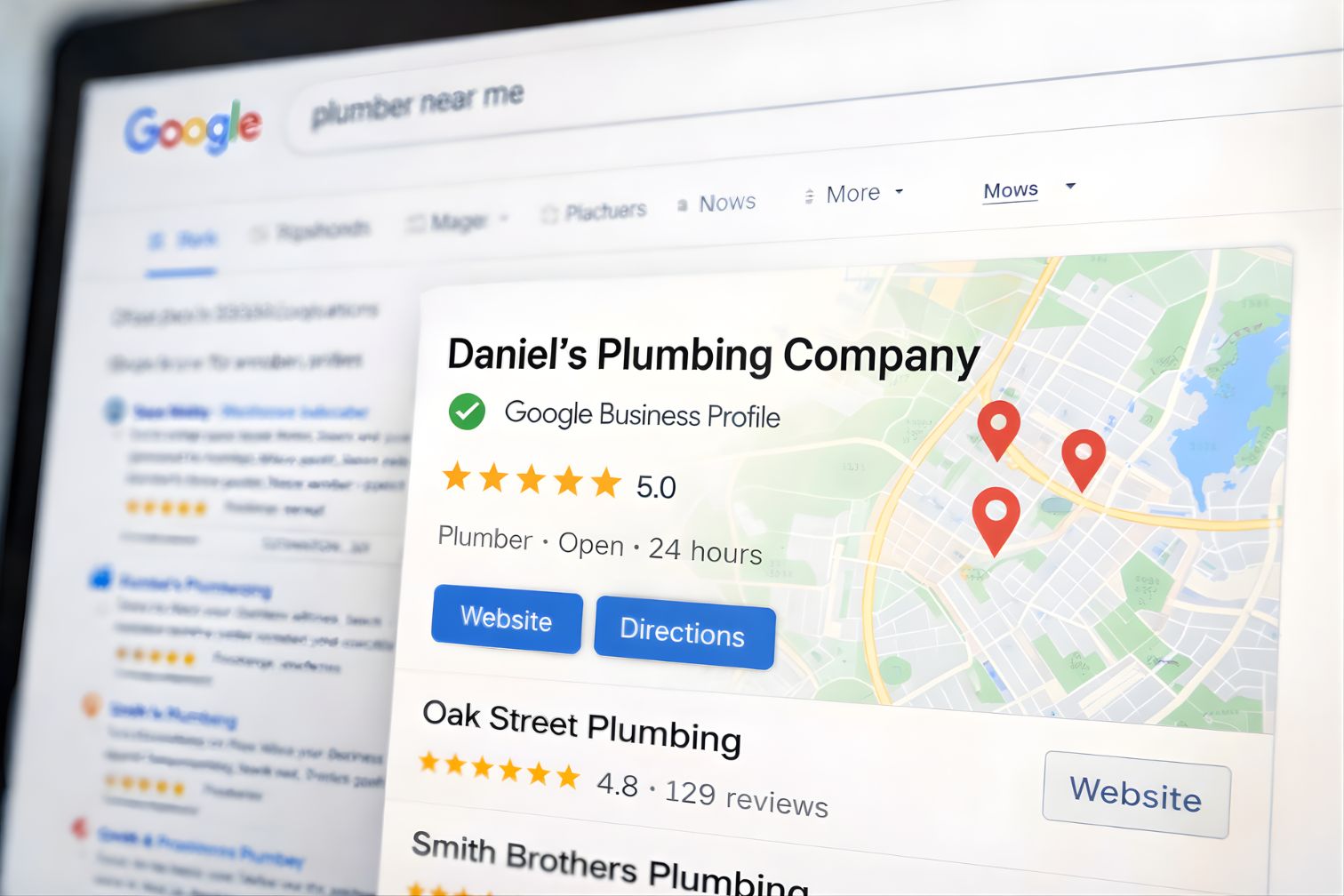
Why Your Google Business Profile Is Your Most Important Marketing Asset
Your Google Business Profile drives more local phone calls, direction requests, and website visits than any other marketing channel. When someone searches "plumber near me" or "dentist in [city]," the Google Map Pack is the first thing they see. The three businesses listed there get roughly 85% of the clicks.
Having a profile is not the same as having an optimized profile. Most businesses claim their listing, add a phone number, and never touch it again. That is like opening a storefront and leaving the lights off.
An optimized profile tells Google exactly what you do, where you do it, and why you should rank above your competitors. It is the difference between showing up on page one and being invisible.
This guide covers everything: setup, optimization, ranking strategy, and ongoing management. Whether you are starting from scratch or trying to improve an existing profile, you will walk away with a clear action plan.
What Is the Map Pack?
When you search for a local business on Google, the first thing you see is a small map with three business listings underneath it. That box is called the Map Pack (sometimes called the "Local 3-Pack" or "Google Maps results"). It appears above all other organic search results.
Those three spots get the vast majority of clicks. If your business is in the Map Pack, customers see your name, reviews, phone number, and hours before they ever scroll down. If you are not in the Map Pack, most searchers will never find you.
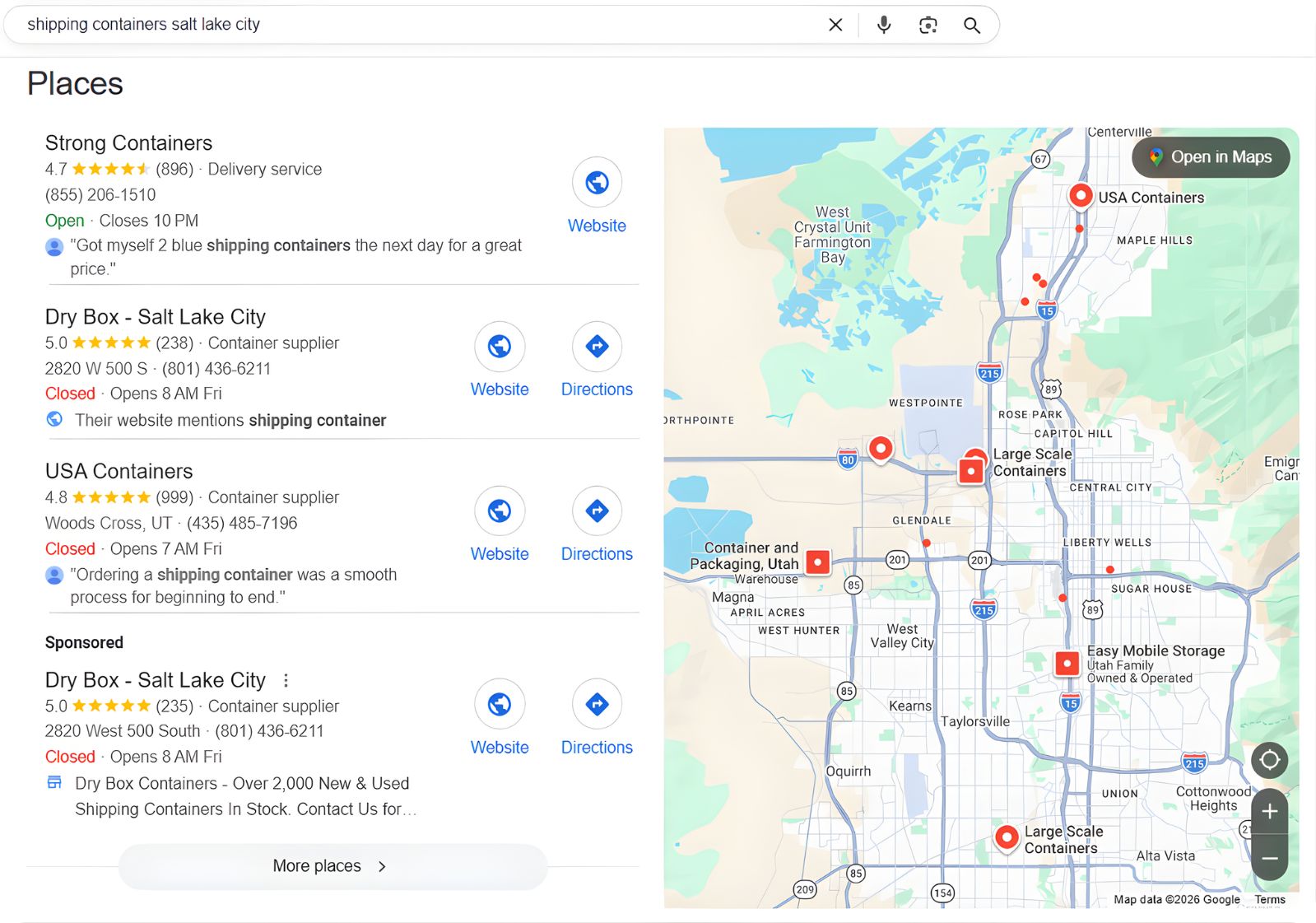
The Map Pack is controlled by your Google Business Profile. Unlike regular search results which depend on your website, Map Pack rankings are driven by the completeness, accuracy, and activity of your GBP. That is why optimizing your profile is the single most important thing you can do for local visibility.
The rest of this guide shows you exactly how to get into those top three positions.
What Google Business Profile Optimization Actually Means
Optimization is not a single task. It is a system of components that work together to signal relevance, build trust, and earn ranking position. Here are the pieces that matter.
Setup and Verification
Claiming, verifying, and completing every field in your profile. The foundation everything else builds on.
Category Strategy
Choosing the right primary and secondary categories. This single decision controls which searches show your listing.
Service Area Configuration
Defining exactly where you serve. City-level specificity outperforms radius-based settings.
Description and Services
Writing keyword-rich descriptions and adding every service with detail. Feeds Google's understanding of your business.
Review Strategy
Building review volume, velocity, and quality. The strongest ranking signal you can directly influence.
Photos, Posts, and Activity
Consistent uploads and weekly posts signal an active, engaged business. Google rewards freshness.
Google Business Profile Setup Checklist
If you are creating a new profile or auditing an existing one, walk through every item below. Skipping any step weakens the foundation your rankings depend on.
- Claim and verify your listing. Go to business.google.com. If a listing already exists for your business, claim it. If not, create one. Complete verification by postcard, phone, email, or video, depending on what Google offers for your business type.
- Choose the correct business type. Storefront, service area business, or hybrid. Most home service companies are service area businesses. Retail and restaurants are storefronts. This affects how your address and service area display.
- Enter your exact business name. Use your legal business name only. Do not add keywords, city names, or descriptors. "ABC Plumbing" is correct. "ABC Plumbing - Best Emergency Plumber in Dallas" violates Google's guidelines and risks suspension.
- Add accurate NAP data. Your business name, address, and phone number must match exactly across your website, Google profile, and every directory listing. Any inconsistency weakens your local signals.
- Select your primary category. This is the single most important ranking decision in your profile. Choose the category that most precisely describes your core business. "Plumber" not "Contractor." "HVAC contractor" not "Home improvement store."
- Add secondary categories. Add every category that accurately describes additional services. A plumber might add "Drain cleaning service," "Water heater installation service," and "Gas installation service." Each category opens new search triggers.
- Configure service areas. Add every city, town, and community you serve by name. Be specific. "Dallas" and "Fort Worth" are better than a 30-mile radius around your address.
- Add all services with descriptions. Under the Services section, add every service you offer. Include a brief description for each. This content is indexed by Google and helps match your profile to specific searches.
- Write your business description. You get 750 characters. Use all of them. Mention your core services, primary service areas, years in business, and key differentiators. Write naturally. Do not keyword-stuff.
- Upload at least 20 photos. Include your logo, cover photo, team photos, service vehicles, completed work, and your office or storefront. Real photos outperform stock images.
- Set accurate business hours. Include special hours for holidays. If you offer 24/7 emergency service, set your hours accordingly. Google uses this data to filter search results.
- Add your website URL and appointment link. Link to your homepage or a dedicated landing page. If you use online scheduling, add that link too.
- Enable messaging if you can respond quickly. Google messaging allows customers to text you directly. Only enable this if you can respond within minutes. Slow responses hurt your profile.
- Add your opening date. This establishes how long you have been in business. Longevity is a trust signal for both Google and potential customers.
Google Business Profile Optimization Strategy
Once your profile is set up, optimization focuses on three ranking factors that Google uses to determine which businesses appear in the Map Pack. Every optimization action targets one or more of these factors.
Relevance
How well your profile matches the search query. Categories, services, description, and review content all feed relevance signals.
Distance
How close your business is to the searcher. You cannot change your address, but service area configuration and city pages expand your reach.
Prominence
How well-known and trusted your business is. Reviews, citations, backlinks, and website authority all contribute to prominence.
Relevance Optimization
Primary category is your biggest lever. If you are a plumber, your primary category should be "Plumber," not "Contractor" or "Home improvement store." Test different primary categories if you serve multiple verticals. The wrong primary category is the most common reason businesses fail to rank.
Services and products feed keyword relevance. Add every service with a detailed description. "Drain cleaning" as a listed service helps your profile show up for "drain cleaning near me." Without it listed, Google has less reason to show you.
Your business description supports relevance but does not drive it. Google indexes your description, but it carries less weight than categories and services. Use it to reinforce your core offerings and service areas naturally.
Review content builds keyword relevance passively. When customers mention specific services in reviews, Google associates those terms with your profile. Encourage customers to describe the service they received.
Distance Optimization
You cannot fake your location. Google knows where your business is and where the searcher is. Do not create fake listings at different addresses. This violates guidelines and leads to suspension.
Service area configuration extends your reach. Adding specific cities tells Google you serve those areas. Pair this with city-specific landing pages on your website for maximum effect.
Geo-grid testing reveals your actual ranking radius. Tools like Local Falcon show you exactly where you rank at different points across your service area. This data tells you which areas need more attention.
Prominence Optimization
Reviews are the strongest prominence signal. More reviews, higher average rating, faster review velocity, and recent review activity all improve prominence. This is the factor you can influence most directly.
Citations build foundational prominence. Consistent listings on Yelp, BBB, Angi, HomeAdvisor, Nextdoor, and industry-specific directories confirm your business information to Google.
Backlinks to your website boost prominence. Links from local organizations, manufacturer dealer programs, industry associations, and sponsorships strengthen your overall authority.
How to Improve Google Maps Rankings
This is the tactical playbook. If you follow these steps consistently, your Map Pack visibility will improve. There are no shortcuts, but the process is straightforward.
- Audit your primary category. Search your main keyword and check what category the top three competitors use. If yours is different, test changing it. This single adjustment can produce immediate ranking changes.
- Expand your services list. Review the services listed by competitors ranking above you. Add any legitimate services you offer that are missing from your profile. More services means more potential search matches.
- Build a review acquisition system. Call past clients personally. Check on the work you did for them. Ask how things are holding up. Then ask for a Google review. Phone calls convert 3 to 5 times better than text messages or emails. Target 15 or more new reviews per month.
- Post to your profile weekly. Share completed project photos, seasonal tips, and service highlights. Posts keep your profile active and give Google fresh content to index. Consistency matters more than perfection.
- Upload new photos every week. Google tracks photo activity. Businesses that upload regularly outperform those that upload once and stop. Real job photos, team shots, and service area images all count.
- Run a geo-grid test monthly. Use Local Falcon or a similar tool to map your ranking position across your service area. Identify weak zones and focus content, reviews, and citations on those areas.
- Perform a competitor gap analysis. Look at the top three profiles in your market. Compare their review count, category selection, services list, photo volume, and posting frequency against yours. Close every gap.
- Build service pages on your website. Each service you offer needs its own page on your website. Google connects your website content to your profile. A website with 15 service pages sends stronger relevance signals than one with a single "Services" page.
Google Business Profile Management
Optimization is not a one-time project. The businesses that maintain top rankings do specific management tasks on a predictable schedule. Here is what ongoing management looks like.
Review Responses
Respond to every new review within 24 hours. Mention the service performed.
Photo Uploads
Upload 3-5 new photos of completed work, team activity, or service areas.
Google Posts
Publish one post per week. Rotate project photos, tips, offers, and updates.
Performance Review
Track calls, direction requests, website clicks, and keyword rankings. Adjust strategy.
Review Generation System
The most effective review strategy is personal phone calls. Call past clients. Ask how the work you did is holding up. Genuinely check in on the repair, installation, or service. Then ask if they would be willing to leave a Google review.
Phone calls convert at 3 to 5 times the rate of automated texts or emails. The personal touch also produces longer, more detailed reviews that contain service-specific keywords Google values for ranking.
Spam and Competitor Monitoring
Watch for competitors keyword-stuffing their business names. "ABC Plumbing" is legitimate. "ABC Plumbing | Best Emergency Plumber Dallas TX" violates Google's guidelines. Report these through the "Suggest an edit" feature on their listing.
Monitor for fake reviews on your competitors and your own profile. Fake negative reviews on your profile and fake positive reviews on competitors both distort rankings. Report violations through Google's review reporting process.
Seasonal Updates
Update your profile seasonally with relevant services, photos, and posts. An HVAC company should feature AC content in spring and heating content in fall. A landscaper should shift from lawn care to snow removal. Keep your profile aligned with what customers are searching for right now.
Common Mistakes That Kill Rankings
These errors are common and they are costly. Every one of them can prevent you from appearing in the Map Pack, regardless of how well other aspects of your profile are optimized.
Wrong Primary Category
Choosing "Contractor" when "Plumber" is available. The primary category is your single biggest ranking lever. Get it wrong and nothing else compensates.
Keyword-Stuffed Business Name
Adding keywords or city names to your business name violates guidelines and risks suspension. Use your legal business name only.
Inconsistent NAP
Your name, address, and phone number differ between Google, your website, and directory listings. Every inconsistency confuses Google's trust in your data.
No Review System
Relying on customers to leave reviews voluntarily produces 2-3 per month. Competitors with a system collect 15-25. This gap compounds every month.
Duplicate Listings
Multiple Google profiles for the same business split your ranking signals and confuse Google. Find and merge or remove duplicates.
No Service Pages on Website
Your website has one "Services" page listing everything. Google connects website content to your profile. No dedicated pages means weak relevance signals.
Low Photo Quality and Volume
Stock photos, blurry images, or fewer than 10 photos total. Businesses with 20+ real photos get significantly more engagement and ranking weight.
Set It and Forget It
Creating a profile and never updating it. Google rewards active profiles with fresh photos, posts, reviews, and engagement. Inactivity signals abandonment.
Optimized vs. Unoptimized Profile
Here is what Google sees when comparing two businesses for the same search:
Same industry. Same city. Same quality of work. One ranks. One does not. The difference is optimization.
DIY vs. Hiring a Google Business Profile Expert
Most business owners can handle 70% of GBP optimization themselves. The question is whether you will actually do it consistently.
| Task | DIY Friendly? | Expert Recommended? |
|---|---|---|
| Initial setup and verification | Yes | Only if complex |
| Category selection | Partially | Yes, for strategy |
| Photo uploads and posts | Yes | Needed if you're too busy |
| Review solicitation calls | Yes | Needed if you're too busy |
| Review responses | Yes | Depends on volume |
| Geo-grid testing and analysis | Partially | Yes |
| Competitor gap analysis | Difficult | Yes |
| Citation building | Time intensive | Yes |
| Spam fighting and reporting | Partially | Yes |
| Website service page strategy | Difficult | Yes |
When DIY Makes Sense
If you have time to dedicate 2 to 3 hours per week, a single location, and fewer than 5 serious competitors in your market, you can manage your own profile effectively using this guide.
When to Hire
If you operate in a competitive market, manage multiple locations, need to close a significant ranking gap, or simply cannot commit to consistent weekly management, an experienced consultant will move faster and avoid costly mistakes. Our SEO consulting service includes full GBP strategy.
What to Expect on Pricing
One-time optimization: $500 to $1,500 for a full audit, category strategy, description rewrite, services expansion, and citation cleanup. Ongoing management: $500 to $1,500 per month for weekly posting, review strategy, photo management, performance tracking, and ranking monitoring. View our SEO packages for full pricing.
Warning signs when hiring: Any consultant who guarantees a #1 ranking, asks for your Google account password instead of requesting manager access, or suggests creating fake reviews is not someone you want managing your business.
Frequently Asked Questions
How long does Google Business Profile optimization take to show results?
Initial improvements from a full optimization, including category corrections and service expansion, can show within 2 to 4 weeks. Sustained ranking improvements from review building and ongoing activity typically develop over 3 to 6 months.
How much does Google Business Profile optimization cost?
A one-time optimization ranges from $500 to $1,500. Ongoing management runs $500 to $1,500 per month. DIY is free but requires 2 to 3 hours per week of consistent effort. The ROI is significant: a single new customer from improved visibility often covers months of investment.
Is Google Business Profile free?
Yes. Creating and maintaining a Google Business Profile costs nothing. Google provides the listing for free. The investment is in optimization, content creation, and review generation, whether you do it yourself or hire someone.
Can I rank in the Map Pack without a website?
Technically yes, but it is significantly harder. Google uses your website content to understand what your business does and confirm your relevance to specific searches. Businesses with well-optimized websites consistently outrank those without one.
How many Google reviews do I need to rank?
There is no magic number. Check the top three businesses in your local Map Pack for your primary keyword. Their review count is your minimum target. In most competitive markets, 150 or more reviews with consistent monthly activity is the baseline for strong positioning.
How often should I post to my Google Business Profile?
At least once per week. Posts expire after 7 days in most cases. Consistent weekly posting keeps your profile active and gives Google fresh content to index. Businesses that post weekly show measurably more engagement than those that post sporadically.
What is the difference between Google My Business and Google Business Profile?
They are the same thing. Google rebranded "Google My Business" to "Google Business Profile" in 2021. All features, tools, and optimization strategies are identical. If you see references to "Google My Business optimization," they apply equally to the current Google Business Profile.
Can I optimize my profile for multiple cities?
Yes. Add every city you serve in your service area settings. Pair this with city-specific landing pages on your website. You cannot create separate profiles for cities where you do not have a physical location, but proper service area configuration combined with strong website content can extend your ranking radius significantly.